
Why Fast-Loading Websites Matter for Local Businesses
Slow sites lose CT local customers and Google rankings. Core Web Vitals in plain English: LCP, CLS, INP, and why lightweight web design wins locally.
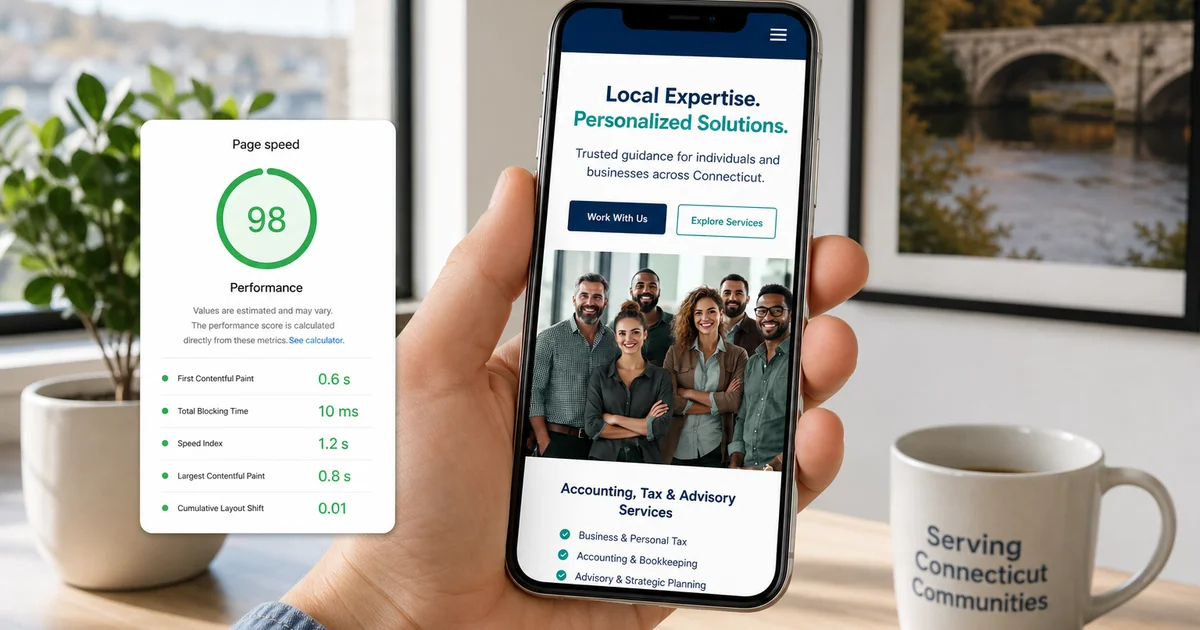
We often see local companies pouring thousands into marketing while ignoring the foundation of their digital presence.
This oversight is exactly why website speed matters for local business growth today. A site that loads in 1.5 seconds on a phone will out-convert and out-rank a site that takes 5 seconds.
Our team knows this happens even when the slower site features superior copy and better SEO work. Most Hartford County small business websites still drag along at 4 to 7 seconds on a mobile connection. That gap is exactly where potential customers leak away.
We are going to break down the specific metrics Google looks at and explore practical ways to fix the structural problems holding your site back.
What “Speed” Actually Measures
Speed measures how fast your site delivers visual content and responds to user interactions. Google tracks this real-world performance using three specific metrics collectively called Core Web Vitals. Our audits focus heavily on these thresholds because they dictate your website speed seo performance.
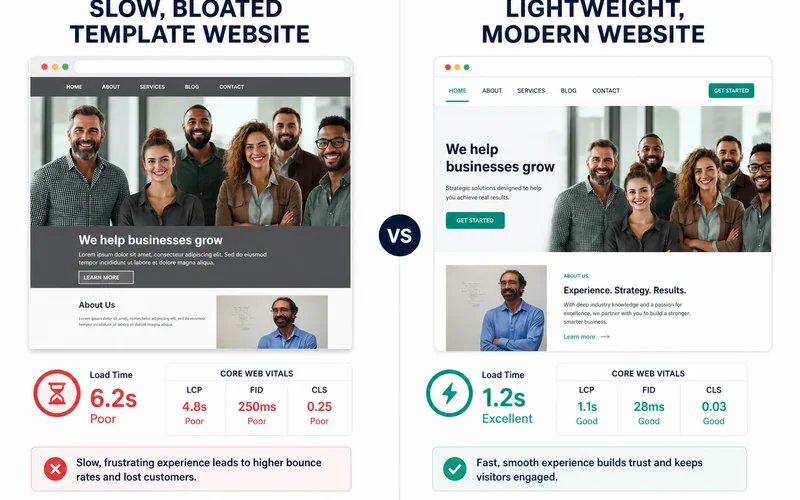
- Largest Contentful Paint (LCP) tracks how long it takes the largest visible element to finish rendering, with a target under 2.5 seconds.
- Cumulative Layout Shift (CLS) measures how much the page jumps around as it loads, requiring a score under 0.1.
- Interaction to Next Paint (INP) calculates how quickly the page responds to a tap or click, demanding a response under 200 milliseconds.
We always treat LCP as the headline figure since failing to show main content quickly puts you below Google’s acceptable standard. The INP metric officially replaced First Input Delay in early 2024 to provide a stricter measure of full-page responsiveness. All three of these numbers matter for your digital storefront. Our developers ensure every new build passes these vital checks on mobile devices.
Why Speed Affects Conversion
Speed directly controls your conversion rate because mobile users will abandon a blank screen after just three seconds. Recent 2026 data from Digital Applied shows that the bounce rate triples when load times stretch from two seconds to five seconds. Our clients notice a massive difference when their pages hit that two-second sweet spot, keeping roughly 90% of visitors engaged past the homepage.
A site sitting at five seconds loses around 40% of its traffic before the page even finishes rendering. Those lost visitors never see your services, miss your phone number, and completely bypass your contact forms. We tell every a Hartford County small business that performance directly impacts the bottom line.
A fast website quietly produces consistent leads. A sluggish interface quietly burns your hard-earned ad spend. Our data shows a clear pattern when comparing performance against user retention.
| Load Time | User Retention | Conversion Impact |
|---|---|---|
| Under 2 Seconds | ~90% of visitors stay | Optimal lead generation |
| 3 to 4 Seconds | Noticeable drop-off | Minor conversion loss |
| Over 5 Seconds | ~40% abandon immediately | Severe ad spend waste |
Why Speed Affects Rankings
Speed dictates your search rankings because Google actively penalizes sites that provide a frustrating user experience. The search engine made page experience a confirmed ranking factor back in 2021. We see slow sites consistently receive fewer impressions for competitive queries, particularly on mobile devices.
The Google Map Pack uses website signals as a core part of its local prominence calculation.
A sluggish load time weakens your local visibility just as much as your organic reach. Our tracking shows this creates a severe cumulative effect over time.
A slow site ranks worse and naturally gets fewer clicks. It then loses more of the clicks it does get, producing fewer leads as the problems compound. We always prioritize page speed local seo tactics as a foundational part of any digital strategy.
What Makes a Site Slow
Sites become slow when they are weighed down by bloated page builders, massive image files, and too many third-party scripts. The median web page weight in the US has ballooned to roughly 2.6 megabytes by 2026. We typically find five common culprits draining performance when we look under the hood.
- Bloated page builders. Divi, Elementor, WPBakery, and heavier WordPress themes ship 200 to 500 kilobytes of CSS and JavaScript before your first image loads.
- Unoptimized images. A two-megabyte hero image that should be 200 kilobytes creates massive delays, especially with multiple uncompressed photos on a single page.
- Too many plugins. Our team regularly sees 20 or more active plugins on slow sites, with each one adding its own scripts and database queries.
- Third-party scripts. Chat widgets, tracking pixels, analytics tags, and embedded widgets each fetch their own JavaScript.
- Shared cheap hosting. Five-dollar-a-month shared hosting struggles under load, while modern static hosting is faster and often cheaper.
Many popular drag-and-drop themes load unnecessary code that your visitors never even interact with. Our developers clean up these specific bottlenecks to restore proper functionality. A single massive hero image can freeze a mobile browser instantly.
How to Diagnose Your Site
You can diagnose a slow website by running your URL through established, free performance testing tools. These platforms measure exactly what your mobile visitors experience in the real world. We recommend checking your performance using these three tools in this specific order.
- PageSpeed Insights. Paste your URL, hit the Mobile tab, and look closely at your LCP, CLS, and INP scores.
- WebPageTest. Simulate a real 4G connection from a real US location, which provides more accurate data than simple synthetic tests.
- Chrome DevTools. Our team always uses this browser feature to throttle the network setting to “Fast 3G” and watch exactly what loads when.
A mobile LCP over four seconds indicates a severe structural problem. Simple plugin patches will never get a foundation that broken down to the two-second target. We usually advise a complete rebuild on a lighter framework when scores dip that low.
What “Lightweight” Means in 2026
A lightweight website in 2026 means using modern code frameworks that ship minimal JavaScript and rely on fast static hosting. Modern technology stacks like Astro or Next.js with static export typically ship under 50 kilobytes of JavaScript per page. Our developers prefer these setups because they run on simple static hosting platforms that cost under ten dollars a month.
These modern hosts serve pages in under one second to users anywhere in the US.
- Security: Static sites eliminate traditional database vulnerabilities.
- Cost: Our clients see hosting expenses drop to a fraction of traditional server prices.
- Speed: Pages load almost instantly worldwide.
Business owners do give up some convenience compared to traditional drag-and-drop website builders. We firmly maintain that the resulting gains in speed, security, and fast website ranking make the trade completely worthwhile.
The return on investment pays for itself within just a few months for most small operations. A clean rebuild is usually the smartest answer if your current site is slow and basic plugin fixes have failed. We can run a quick technical audit on your current setup if you want to know exactly where time is being lost.
Frequently Asked Questions
What is a 'good' website load time?
Under 2.5 seconds for Largest Contentful Paint on a 4G mobile connection is Google's good threshold; under 1.5s is excellent. Anything above 4 seconds is a real conversion problem and almost always a real ranking problem too.
Why is my WordPress site so slow?
Usually too many plugins, an oversized theme builder (Divi, Elementor), and unoptimized images. A focused rebuild on a modern lightweight stack is often faster than chasing fixes plugin by plugin.
Does speed affect Google Maps ranking too?
Indirectly — the Map Pack uses signals from the linked website, so a slow site weakens overall local visibility, not just organic search. Speed is part of the prominence signal Google blends into local ranking.
Related Service
Learn more about Web Design
See how Fly Spectra delivers web design for Connecticut small businesses — flat-fee, fast, and direct with the owner.
Explore Web DesignRelated Guides
Custom Website vs Website Builders (Wix, Squarespace, GoDaddy)
Wix and Squarespace are fine for some businesses — and the wrong choice for others. Honest comparison: SEO, speed, customization, ownership, total cost.
How Long Does It Take to Build a Website? (Real Timelines)
Most small business websites can launch in about 2 weeks. See the real stage-by-stage timeline, what affects speed, and what clients need to provide.
How Much Does a Website Cost in Connecticut? (2026 Pricing Guide)
Real CT website pricing in 2026: starter $1.5K, standard $2.5-$4K, custom $5K+. Plus what drives cost, what's included, and how flat-fee saves you money.
How to Choose a Web Designer in Connecticut (Owner's Checklist)
An honest checklist for hiring a CT web designer: portfolio checks, contract red flags, what to ask about SEO, ownership, timelines, and post-launch support.
Have a question this guide didn't answer?
Send a quick message. Joseph replies personally, usually the same day.